GOM Player Plus 2.3.99.5362 – Premium Media Player with Ultra-Smooth 4K Playback
Introduction
As multimedia content continues to evolve, users expect more from their media players than simple playback. Modern viewers want smooth performance, high-quality video rendering, advanced subtitle support, and zero interruptions. While many free players offer basic features, premium users look for stability, polish, and an ad-free experience. GOM Player Plus 2.3.99.5362 is designed precisely for those users.
Developed by GOM & Company, GOM Player Plus is the paid, enhanced version of the popular GOM Player. It removes ads, improves performance, and adds advanced features such as UHD/4K playback optimization, superior audio quality, and better codec support. With version 2.3.99.5362, GOM Player Plus continues to deliver a refined multimedia experience for Windows users.
This article provides a detailed overview of GOM Player Plus 2.3.99.5362, including its features, improvements, system requirements, pros and cons, and why it is a strong premium alternative to free media players.
What is GOM Player Plus?
GOM Player Plus is a premium multimedia player for Windows that supports a wide range of video and audio formats without requiring external codecs. Unlike the free version, GOM Player Plus is:
-
Completely ad-free
-
Optimized for high-resolution playback
-
More stable and polished
-
Designed for users who want a professional media experience
The 2.3.99.5362 version focuses on performance optimization, better compatibility with modern Windows systems, and smoother playback of high-bitrate video files.
Key Features of GOM Player Plus 2.3.99.5362
1. Wide Media Format Support
GOM Player Plus supports nearly all commonly used multimedia formats, ensuring smooth playback without additional codec installations.
Supported Video Formats:
-
MP4, AVI, MKV, MOV, FLV, WMV
-
MPEG, TS, M2TS, WebM
-
DVD playback support
Supported Audio Formats:
-
MP3, AAC, WAV, FLAC
-
OGG, WMA, M4A, APE
Subtitle Formats:
-
SRT, ASS, SSA, SUB, IDX
-
Automatically searches and syncs subtitles
This broad compatibility makes GOM Player Plus suitable for diverse media libraries.
2. Ultra-Smooth HD and 4K Video Playback
One of the biggest advantages of GOM Player Plus is its excellent high-resolution video performance. The player supports:
-
Full HD (1080p)
-
4K UHD video playback
-
High-bitrate video files
-
Smooth frame rendering with minimal stutter
Advanced decoding and rendering technologies ensure high-quality visuals even on demanding content.
3. Hardware Acceleration for Better Performance
GOM Player Plus 2.3.99.5362 uses hardware acceleration technologies such as:
-
DXVA (DirectX Video Acceleration)
-
GPU-based decoding
This significantly reduces CPU usage and improves playback performance, especially on laptops and mid-range systems.
4. Ad-Free Premium Experience
Unlike the free version of GOM Player, GOM Player Plus is completely ad-free. This provides:
-
A clean and distraction-free interface
-
Faster startup times
-
A more professional user experience
For many users, the removal of ads alone justifies upgrading to the Plus version.
5. Advanced Subtitle Support
GOM Player Plus includes powerful subtitle features, such as:
-
Automatic subtitle search
-
Manual subtitle synchronization
-
Subtitle font and color customization
-
Support for multiple subtitle tracks
These tools make it ideal for watching foreign movies and TV shows.
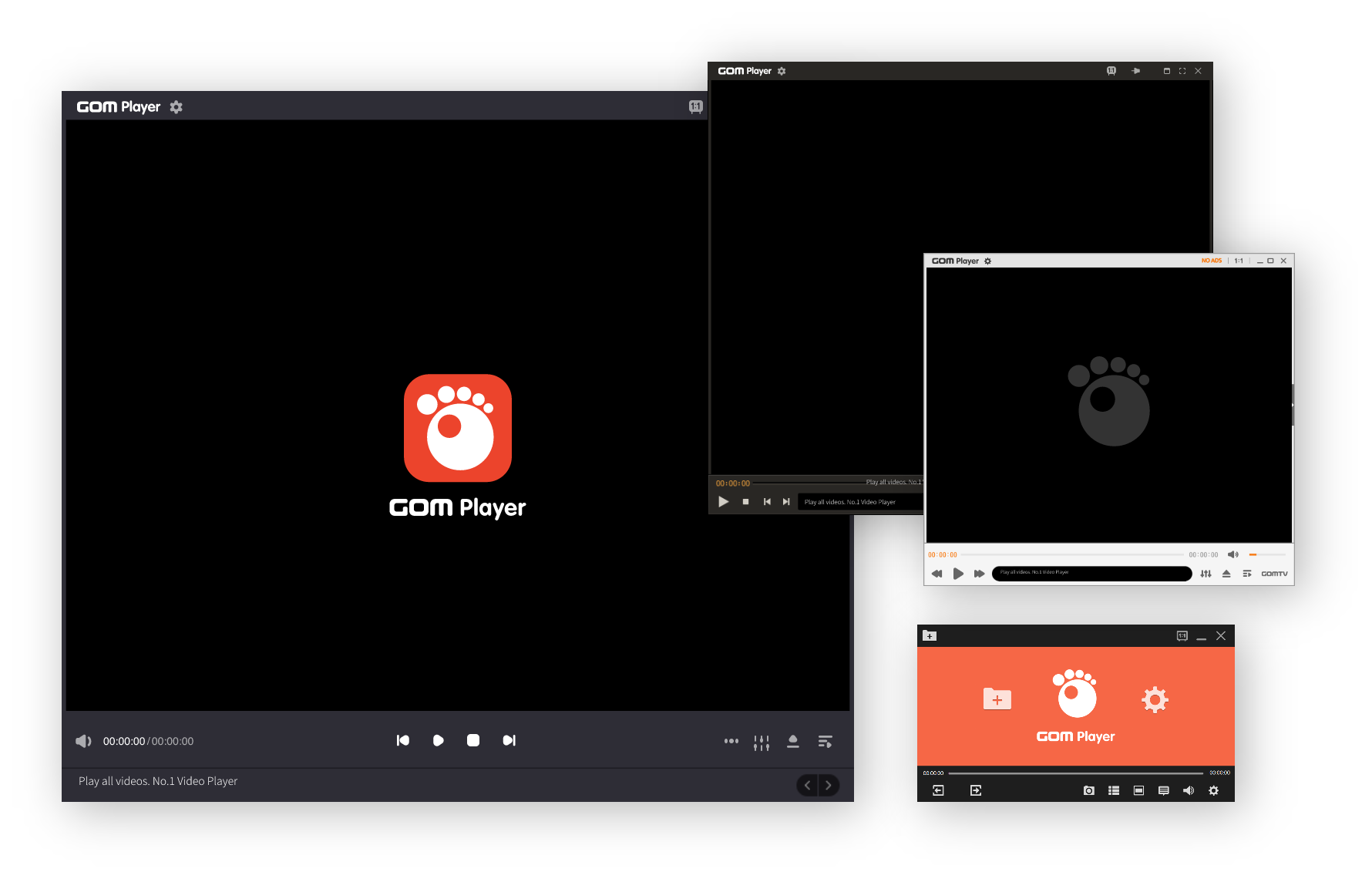
6. User-Friendly and Modern Interface
The interface of GOM Player Plus is clean, intuitive, and easy to navigate. Key design highlights include:
-
Minimalistic layout
-
Easy access to playback controls
-
Customizable skins and themes
-
Quick settings menu
The interface balances simplicity with advanced functionality.
7. Audio Enhancement and Sound Control
GOM Player Plus offers improved audio playback with features such as:
-
Built-in equalizer
-
Preset sound profiles
-
Volume normalization
-
Audio track selection
These features enhance sound clarity for movies, music, and headphones.
8. Playlist and Playback Management
Users can easily manage their media with:
-
Custom playlists
-
Playback history
-
Resume playback support
-
File bookmarking
These features improve usability for users with large collections.
9. Stability and Reliability
The Plus version prioritizes stability. Version 2.3.99.5362 includes:
-
Bug fixes
-
Improved crash resistance
-
Better memory management
This makes GOM Player Plus a dependable choice for long viewing sessions.
What’s New in GOM Player Plus 2.3.99.5362?
This release includes several refinements:
-
Enhanced video decoding performance
-
Improved subtitle accuracy and synchronization
-
Better Windows 10 and Windows 11 compatibility
-
Faster loading times for large files
-
Minor UI improvements and bug fixes
These updates ensure a smoother and more consistent experience.
System Requirements
Minimum Requirements
-
Operating System: Windows 7 / 8 / 10 / 11
-
Processor: Dual-core CPU
-
RAM: 2 GB
-
Storage: 200 MB free space
-
Graphics: DirectX-compatible GPU
Recommended Requirements
-
Processor: Intel Core i5 or higher
-
RAM: 4 GB or more
-
Graphics: Dedicated GPU for 4K playback
-
Display: Full HD or 4K monitor
Advantages of GOM Player Plus 2.3.99.5362
-
Ad-free premium experience
-
Excellent HD and 4K playback
-
Wide format and subtitle support
-
Hardware acceleration
-
Clean and user-friendly interface
-
Stable and reliable performance
Disadvantages of GOM Player Plus 2.3.99.5362
-
Paid software (not free)
-
Fewer advanced customization options compared to PotPlayer
-
Windows-only availability
Despite these limitations, it delivers a polished experience.
GOM Player Plus vs Free Media Players
Compared to free alternatives like VLC or KMPlayer:
-
GOM Player Plus offers a clean, ad-free interface
-
Provides smoother performance for high-resolution content
-
Requires less configuration
-
Focuses on ease of use rather than extreme customization
It is ideal for users who prefer simplicity and stability.
Who Should Use GOM Player Plus?
GOM Player Plus is perfect for:
-
Users who want an ad-free media player
-
Movie lovers watching HD and 4K content
-
Professionals who value stability
-
Users who prefer simplicity over complex settings
-
Anyone looking for a premium multimedia experience
Conclusion
GOM Player Plus 2.3.99.5362 is a polished, reliable, and high-performance multimedia player designed for users who want more than basic playback. With its ad-free interface, strong format support, smooth 4K playback, and excellent subtitle handling, it delivers a premium viewing experience on Windows.
While it is a paid application, the benefits of stability, performance, and a clean interface make it a worthwhile investment for serious media consumers. If you are looking for a professional, hassle-free, and high-quality media player, GOM Player Plus is an excellent choice.



