Autodesk Fusion 360 with Machining Extension 2026
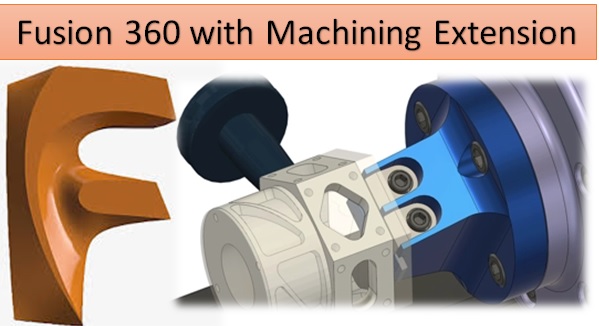
Fusion 360 with Machining Extension (2026) is a powerful integrated CAD, CAM, and CAE platform developed by Autodesk. It combines design, engineering, simulation, and manufacturing tools in a single cloud-based environment. With the Machining Extension, Fusion 360 expands its capabilities to support advanced CNC machining strategies, helping manufacturers produce complex parts faster and more efficiently.
The 2026version introduces performance improvements, smarter automation tools, and enhanced multi-axis machining capabilities. These features make Fusion 360 one of the most versatile solutions for modern manufacturing workflows.https://scorpioagersoftware.com/
Introduction to Fusion 360
Fusion 360 is widely used by engineers, designers, and manufacturers because it integrates multiple tools in one platform. Instead of switching between different software for design and manufacturing, users can complete the entire workflow—from concept design to CNC machining—within Fusion 360.
The Machining Extension adds advanced CAM capabilities that are typically found in high-end manufacturing software. It allows users to create optimized toolpaths, reduce machining time, and improve surface quality when producing complex parts.
Key Features of Fusion 360 Machining Extension (2026)
Advanced Toolpath Strategies
The Machining Extension introduces several advanced toolpath strategies designed to increase machining efficiency. These strategies help CNC programmers generate optimized cutting paths for difficult geometries.
Some key strategies include:
-
Steep and Shallow machining for smooth finishing of complex surfaces
-
Automatic hole recognition for faster drilling operations
-
Adaptive clearing to remove large amounts of material quickly
-
Parallel and contour finishing for improved surface quality
These automated toolpaths reduce programming time while ensuring consistent machining results.
3-Axis and 5-Axis Machining Support
Fusion 360 supports both 3-axis and multi-axis CNC machines. The Machining Extension enhances these capabilities by introducing advanced control over tool orientation and cutting strategies.
With multi-axis machining, manufacturers can produce complex components with fewer setups. This reduces production time and improves accuracy because the part remains in the same position during multiple operations.
Toolpath Optimization
One of the major goals of the Machining Extension is to optimize machining performance. The software automatically adjusts toolpaths to reduce air cutting and maintain consistent cutter engagement.
Key benefits include:
-
Reduced machining time
-
Extended tool life
-
Improved surface finish
-
Lower production costs
These optimizations help manufacturers increase machine productivity and improve overall efficiency.
Automated Feature Recognition
Fusion 360 includes intelligent feature recognition tools that automatically detect common machining features such as holes, pockets, and slots.
This automation allows CNC programmers to generate machining operations quickly without manually defining every feature. The system can apply standard machining templates, making programming faster and more consistent.
Simulation and Verification
Simulation is an essential part of CNC programming. Fusion 360 provides advanced simulation tools that allow users to verify toolpaths before sending code to the machine.
The simulation system can detect:
-
Tool collisions
-
Machine over-travel
-
Incorrect toolpaths
-
Potential machining errors
By identifying these problems early, manufacturers can prevent costly mistakes and machine damage.
Cloud Collaboration and Data Management
One of the unique advantages of Fusion 360 is its cloud-based architecture. Design files, tool libraries, and machining setups can be stored in the cloud and shared with team members easily.
This enables engineers, designers, and machinists to collaborate in real time. Team members can review designs, suggest changes, and update machining operations from different locations.
Cloud storage also ensures that project data is securely backed up and accessible whenever needed.
Integration with Design and Simulation
Fusion 360 is not just a CAM software—it is a complete engineering platform. Designers can create 3D models directly within the software and immediately transition to machining operations.
The platform also includes simulation tools that allow users to analyze:
-
Stress and structural performance
-
Thermal behavior
-
Motion and assembly mechanics
By combining design, simulation, and manufacturing in one system, Fusion 360 reduces the need for multiple software packages.
Real-World Applications
Fusion 360 with the Machining Extension is widely used in several industries.
Product Design and Manufacturing
Manufacturers use Fusion 360 to design and produce consumer products, electronics, and mechanical components. The integrated workflow allows rapid prototyping and faster product development.
Automotive Industry
Automotive engineers use Fusion 360 to design parts, create prototypes, and generate CNC programs for machining engine components and custom parts.
Aerospace Engineering
The aerospace industry requires high-precision machining of complex components. Fusion 360’s multi-axis machining capabilities help produce these parts with exceptional accuracy.
Tool and Mold Manufacturing
Toolmakers use Fusion 360 to design molds and dies for industrial production. The advanced finishing strategies ensure smooth surfaces and precise geometries.
Advantages of Fusion 360 Machining Extension
Fusion 360 offers several advantages compared with traditional CAM software.
✔ Integrated CAD, CAM, and CAE environment
✔ Cloud-based collaboration and data management
✔ Advanced multi-axis machining strategies
✔ Intelligent automation tools
✔ Powerful simulation and verification tools
These features help reduce programming time and improve manufacturing efficiency.
System Requirements
Fusion 360 is designed to run on modern workstations and supports both Windows and macOS operating systems. Recommended hardware typically includes:
-
Multi-core processor
-
16 GB RAM or more
-
Dedicated graphics card
-
SSD storage for faster data access
Because the software uses cloud processing for certain tasks, it can handle complex projects without requiring extremely high-end hardware.
Conclusion
Fusion 360 with the Machining Extension (2026) is a powerful manufacturing platform that combines design, engineering, and CNC machining in one environment. Its advanced toolpath strategies, automation features, and cloud collaboration tools make it ideal for modern manufacturing workflows.
Whether used for product development, automotive engineering, aerospace machining, or mold design, Fusion 360 provides the tools needed to move from concept to finished part efficiently. As manufacturing continues to evolve toward smarter and more connected systems, Fusion 360 remains one of the most innovative solutions available to engineers and machinists.
Fusion 360 with Machining Extension2026 Free Download