DesignSpark Mechanical 10.0 – Powerful and Free 3D Modeling for Engineers & Makers
DesignSpark Mechanical 10.0 is a versatile and user-friendly 3D CAD software developed by RS Components. Designed primarily for engineers, product designers, makers, and hobbyists, it provides a powerful direct modeling environment that simplifies the creation of mechanical parts, enclosures, prototypes, and 3D printable designs. Version 10.0 builds on previous releases with improved performance, enhanced modeling tools, and better compatibility with modern workflows.https://scorpioagersoftware.com/

Unlike traditional parametric CAD systems that rely heavily on design history trees, DesignSpark Mechanical uses direct modeling technology, allowing users to push, pull, and modify geometry instantly without worrying about constraints or feature dependencies. This makes it especially appealing to beginners and professionals who want speed and simplicity without sacrificing precision.
Direct Modeling Made Simple
At the heart of DesignSpark Mechanical 10.0 is its intuitive push-pull modeling approach. Users can click on a surface and drag it to change dimensions in real time. Need to resize a hole, extend a face, or adjust a fillet? Simply select and modify—no need to navigate through a complex history tree.
This modeling method significantly reduces the learning curve. Engineers transitioning from 2D drafting to 3D modeling can quickly understand and apply core functions. For experienced designers, the direct workflow speeds up conceptual design and rapid prototyping.
Version 10.0 enhances modeling stability and precision, ensuring smoother edits even in complex assemblies or imported files.
Ideal for Product Design and Enclosures
One of the main strengths of DesignSpark Mechanical is its popularity in electronics and enclosure design. Because it is backed by RS Components, users can access extensive libraries of manufacturer-certified components, including connectors, switches, and mechanical parts.
Designers can import ready-made models directly into their projects, ensuring accurate dimensions and faster assembly creation. This is particularly useful for creating custom housings, control panels, and electronic device enclosures.
3D Printing and Prototyping Friendly
DesignSpark Mechanical 10.0 is highly compatible with 3D printing workflows. The software supports STL export, allowing users to prepare models for additive manufacturing easily. Built-in tools help detect geometry issues, ensuring watertight models suitable for printing.
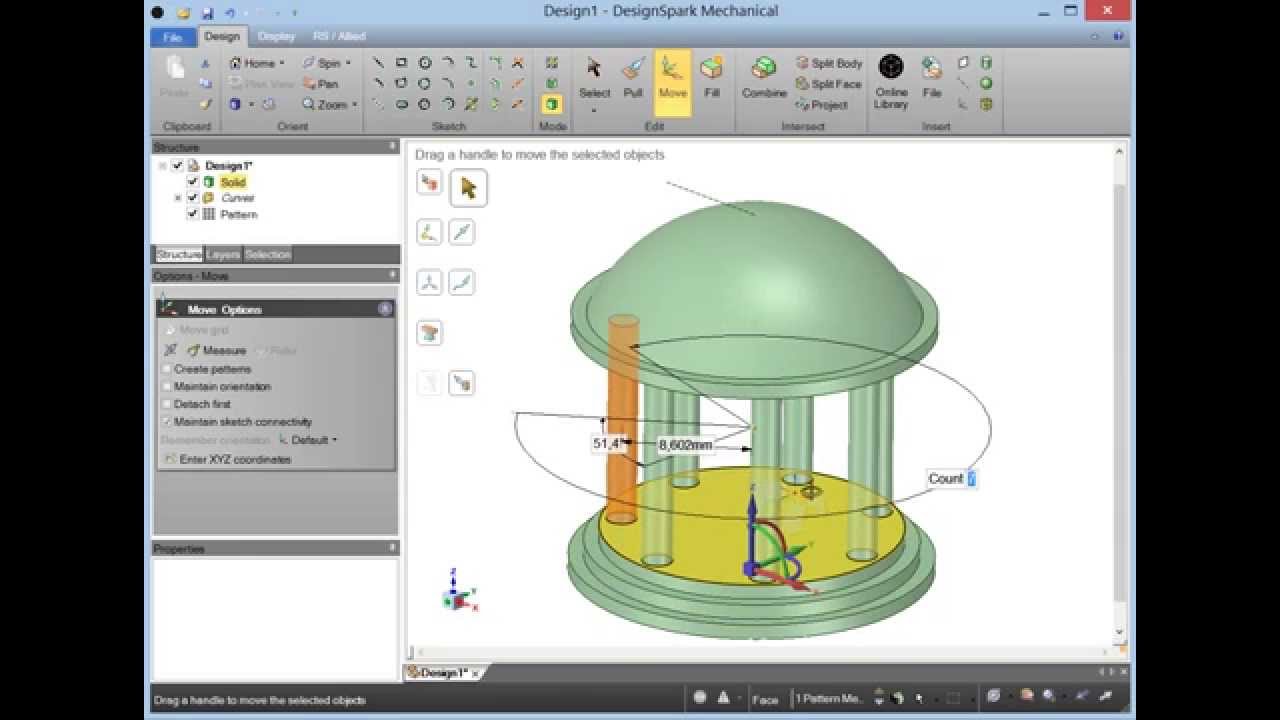
For startups, students, and makers who rely on rapid prototyping, this capability makes DesignSpark Mechanical an accessible and cost-effective solution.
Import and Export Flexibility
Modern engineering projects often require collaboration between multiple CAD platforms. DesignSpark Mechanical 10.0 supports importing and exporting common formats such as STEP, IGES, STL, and DXF (availability may vary depending on license tier).
This flexibility allows designers to modify third-party files, adjust supplier parts, or share finished models with manufacturers and clients without compatibility issues.
Assembly and Drawing Tools
Although primarily known for direct part modeling, DesignSpark Mechanical also includes assembly tools. Users can position components, create simple mechanical groupings, and analyze fit and alignment.
For documentation, 2D drawing capabilities enable designers to create dimensioned technical drawings for production or review. These tools help bridge the gap between concept modeling and manufacturing preparation.
Performance and Usability Improvements in Version 10.0
Version 10.0 focuses on improving performance and workflow efficiency. Enhancements include:
-
Faster file loading and saving
-
Improved graphics rendering stability
-
Better handling of large or imported models
-
Refined interface responsiveness
The software maintains a clean, task-focused interface that reduces clutter. Contextual toolbars appear only when relevant, making the environment less intimidating for new users while keeping productivity high for professionals.
Learning and Community Support
Because DesignSpark Mechanical is widely used in education and maker communities, there is a strong ecosystem of tutorials, forums, and learning resources. Beginners can quickly find guidance for common tasks such as creating brackets, modifying imported files, or preparing models for 3D printing.
Its approachable design makes it an excellent teaching tool for introducing 3D CAD concepts in classrooms and training programs.
Who Should Use DesignSpark Mechanical 10.0?
DesignSpark Mechanical 10.0 is particularly well-suited for:
-
Electronics engineers designing enclosures
-
Makers and hobbyists creating 3D printable models
-
Product designers developing prototypes
-
Small businesses seeking affordable CAD solutions
-
Students learning 3D modeling fundamentals
While it may not replace high-end parametric CAD systems for complex enterprise projects, it excels in speed, accessibility, and rapid design tasks.
Conclusion
DesignSpark Mechanical 10.0 continues to deliver a powerful yet accessible 3D CAD solution tailored for engineers, makers, and product designers. Its direct modeling approach removes complexity, enabling users to focus on creativity and functionality rather than software limitations.
DesignSpark Mechanical 10.0 Free Download 2026



